The free plugin is not a demo.

Glitchpin is complete. Nothing in it is crippled, nothing in it is billed by usage, nothing in it expires. A brochure site, a blog or a shop can live with the free version for years, and many will.

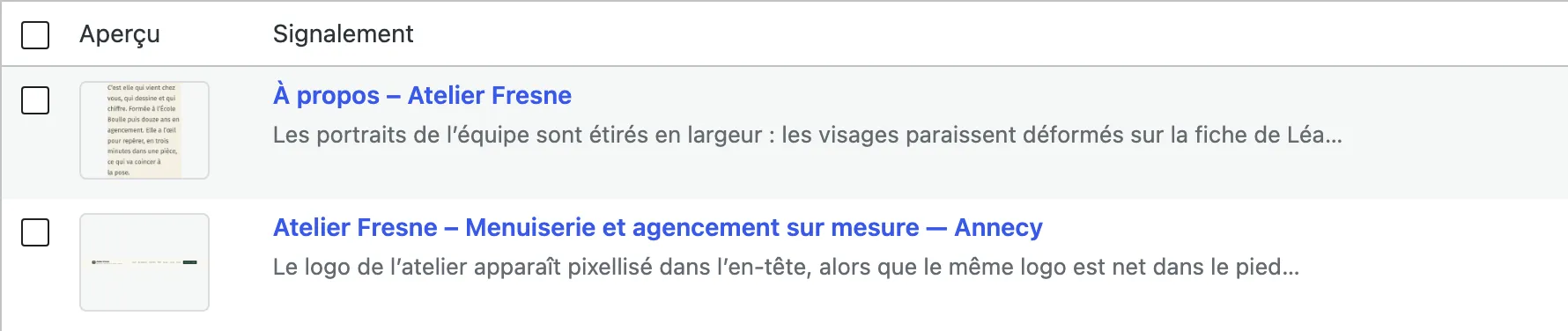
  • List of reports: two rows with preview, title and summary.
    Free

    Glitchpin, free, coming soon to WordPress.org

    The report button, section capture and the free zone, the description, sending, the email to the administrator, the optional notification of the visitor with double opt-in, the list and the detail of reports, the "New" and "Done" statuses, the trash, the basic settings (texts, position, colour), the technical context, GDPR export and erasure, retention, and simple visibility: enable or disable the widget, exclude pages.

    No outbound requests. No account. No subscription.

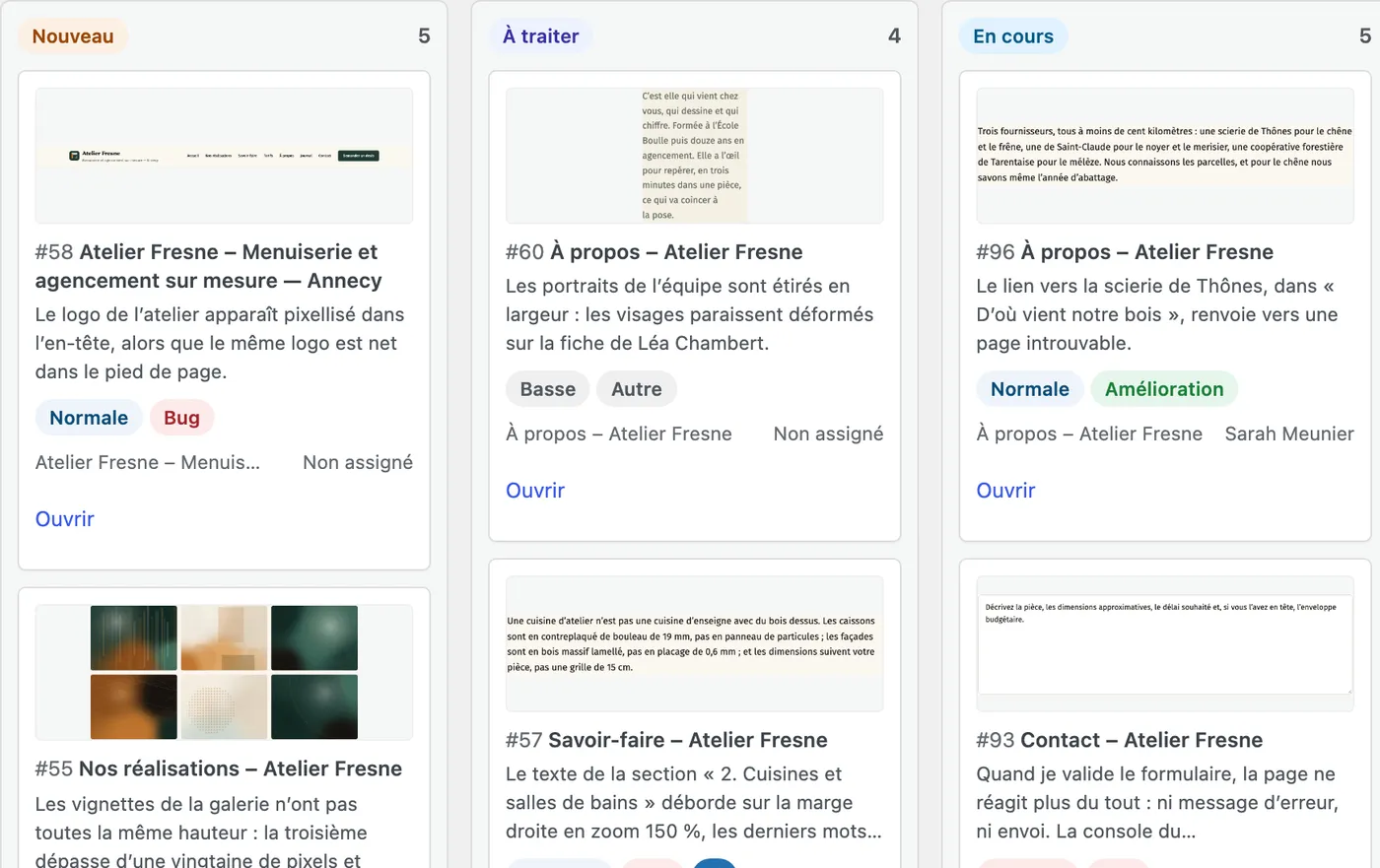
  • Kanban board, columns New, To do and In progress, filled with tickets.
    Pro

    Glitchpin Pro, the paid plugin

    Capture annotation (arrow, rectangle, drawing, text, manual black-out), automatic masking of sensitive fields, full tickets (5 statuses, priority, type, assignment), occurrences and duplicate detection, history and internal notes, QA pins on the site, the Kanban, the overview, signed webhooks, text correction, JavaScript errors, advanced visibility (URL, content types, taxonomies, roles, environments), JSON import / export with an AI prompt, and advanced widget customisation.

    Glitchpin Pro requires Glitchpin 3.0.0 or later, installed and active. Deactivating Pro loses nothing: tickets, occurrences, history, notes and settings stay in the database, and the free plugin keeps showing the reports.

Glitchpin Pro is aimed at those who are no longer content with just receiving reports: they have to be sorted, shared out, not dealt with ten times over, kept on record, and you need to know where the site stands. It is a team tool, not an "unlocked" version.

Pro

Glitchpin Pro

The paid plugin

The detailed comparison

Group by group. A row in bold exists only with Glitchpin Pro.

FeatureGlitchpinFreeGlitchpin ProPro
Report
Floating report button on every page
Opening panel with customisable texts
Capture of a section of the page, in one click
Selection of several sections in a single report
Free zone drawn with the mouse
Capture mode fully usable from the keyboard
Image built in the visitor’s browser
Text-only mode if the server has no GD
One description per capture
Optional email address of the reporter
Annotation editor for the capture–
Arrow, rectangle, free draw, text, black out–
Four colours and two line thicknesses–
Undo, redo, clear all–
Keyboard shortcuts of the annotation editor–
Black-outs kept if the editor is left without confirming–
"Suggest a text correction" mode–
Receive
Notification email to the administrator
Customisable email sender
Double opt-in for the address left by the visitor
Address confirmation page on the site
Manual resending of the confirmation email
Single email to the reporter when it is fixed
"New occurrence" email for an existing ticket–
Handle
List of reports with previews
Search within the reports
Row actions and bulk actionsenriched
Trash, restore, permanent deletion
Captures at full size, CSS selector and position
Technical context of the browser and of the site
Ticket statuses2: New, Done5: New, To do, In progress, To review, Resolved
Readable fallback for Pro statuses if Pro is deactivatednot applicable
Priority (Low, Normal, High, Critical)–
Type (Bug, Design, Content, Improvement, Other)–
Assignment to a team member–
Filters by priority, type and assigned person–
Word-by-word difference of a text correction–
JavaScript errors attached to the report–
Organise
Occurrences column and counter–
Automatic attachment of duplicates–
Flagging of an unmerged "possible duplicate"–
Automatic reopening of a resolved ticket–
Complete history of the ticket–
Internal team notes–
Kanban board–
List / Kanban switch–
"Overview" dashboard–
QA pins on the public site–
Configure
Recipient of the notifications and sender
Seven widget texts editable
Position of the button (4 positions: bottom right, bottom left, middle right, middle left)
Main colour, contrast calculated automatically
Enable or disable the widget for the whole site
Exclude specific content items
"Upgrade to Pro" buttonhidden
Size of the button (44, 52, 68 px)–
Icon of the button (bug, speech bubble, flag, none)–
Distance to the edge of the screen (0 to 64 px)–
Display mode and targeted content–
Targeted and excluded URL rules–
Audience, allowed roles, environments–
Visibility choice per content item, in the editor–
Configuration import / export in JSON–
Prompt ready for an AI assistant–
Privacy, security and compliance
No outbound requestsyour webhooks + Freemius licence
Captures stored on your server, names that cannot be guessed
IP address never stored in clear text
Anti-spam without captcha, rate limits and daily cap
Images re-encoded on the server side, size bounds
Storage quota for captures
Configurable retention of reports and captures
Native GDPR export and erasure + policy text
Automatic masking of sensitive fields–
"Mask every form field" option–
data-octoscope-private and data-octoscope-ignore markers–
Developers
Documented actions, filters, PHP facade and JavaScript object
Public REST routes (token, sending, confirmation)
Signed webhooks, 7 events–
Documented HMAC-SHA256 signature verification–
Guard refusing internal network addresses–
PriceFree€8.99 per month, €28.99 per year, €48.99 for life
DistributionWordPress.org (soon)Freemius
RequirementsWordPress 6.0+, PHP 7.4+WordPress 6.5+, PHP 7.4+, Glitchpin 3.0.0+ active
Number of reportsCeilings set by default (5 reports per IP per 10 minutes, 200 per day, 200 MB of captures), some of which can be adjusted.Same
If Pro is deactivatednot applicableNothing is lost: everything stays in the database, the free plugin keeps showing

Start with the free plugin. It is complete, and it will stay that way.

Get notified at launch

Coming soon to WordPress.org

One button, one capture, one useful report. That is all it took.

What you are interested in

A confirmation email, then one message on launch day. Unsubscribe in one click.

Thank you, your address is saved.

This address is already on the list.

Your sign-up could not be saved. Try again in a moment.