
20 features in the free plugin, 27 more in Pro
Every feature carries its label: Free or Pro.
A floating "Report a bug" button, present on every page. It can also be reduced to an icon: simply clear the "Button label" field. The visitor has nothing to install, nothing to create, nothing to look for.
The page is hovered section by section. One click selects one, another adds a second, a drag draws a free zone anywhere. The visitor shows precisely what bothers them.
The image is produced on the visitor’s own machine, from the page and its styles. No browser extension, no capture tool, no third-party service in the loop.

Tab to move through the page, Space to select, arrow keys to widen or narrow the selection, Enter to capture. Reporting works without a mouse: that is rare, and it is an accessibility argument.
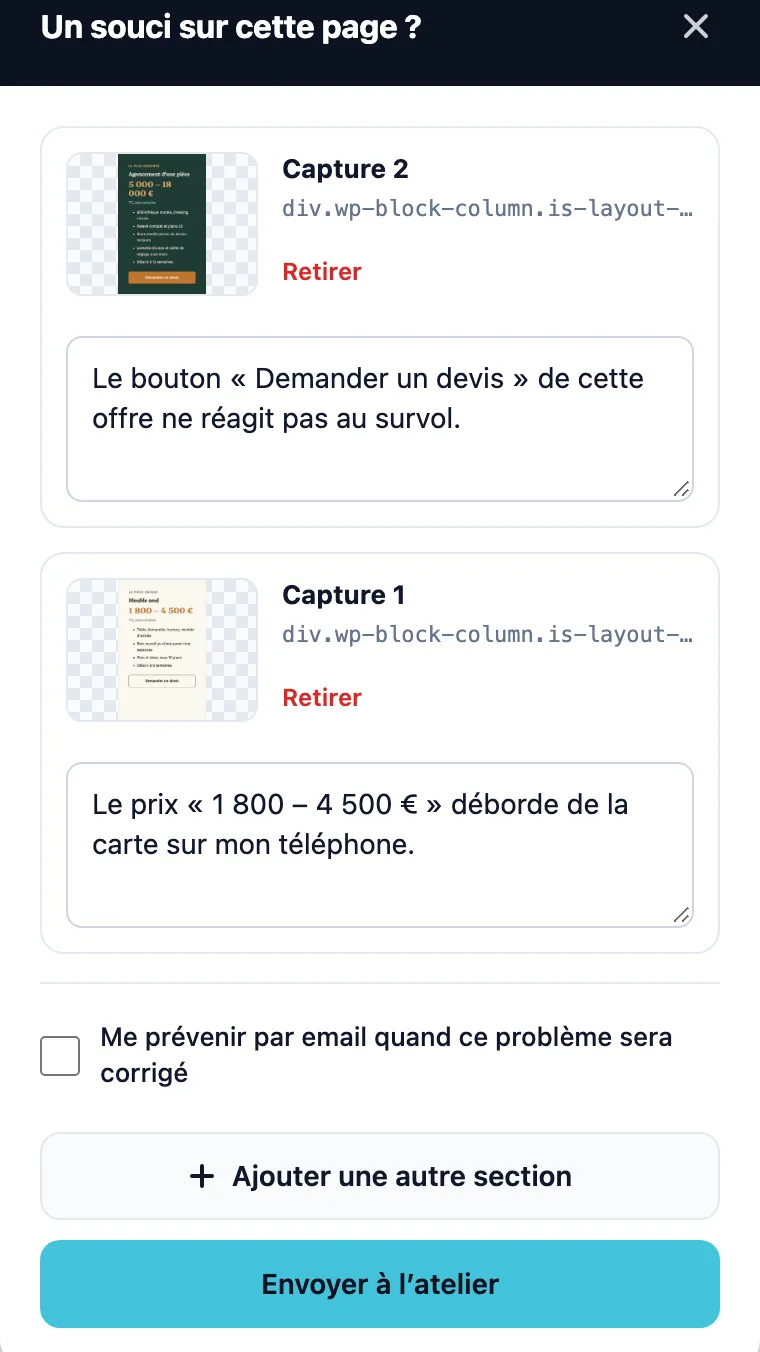
Several problems on the same page? One capture and one explanation for each, with the option of removing one or adding another before sending.
A text mode for hosting without GD
If the GD library is missing on the server, the widget falls back to a description field. The report goes out all the same, with the URL, the viewport size and the browser.
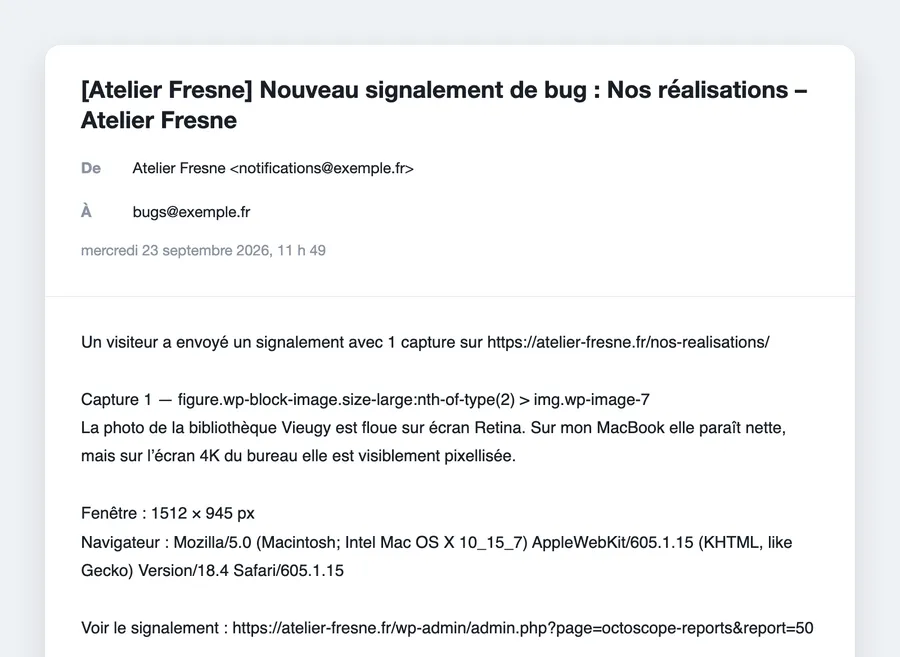
Every report lands in your inbox with the page, the viewport size, the browser and a direct link. The sender is customisable, so you can use an address on your own domain.
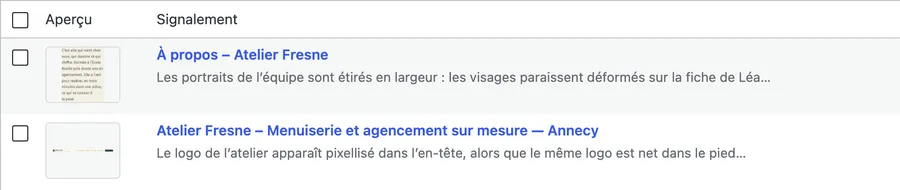
Preview of the capture, page, status and date received, with the "All", "New", "Done" and "Trash" views, and a full-text search. No screen to learn.
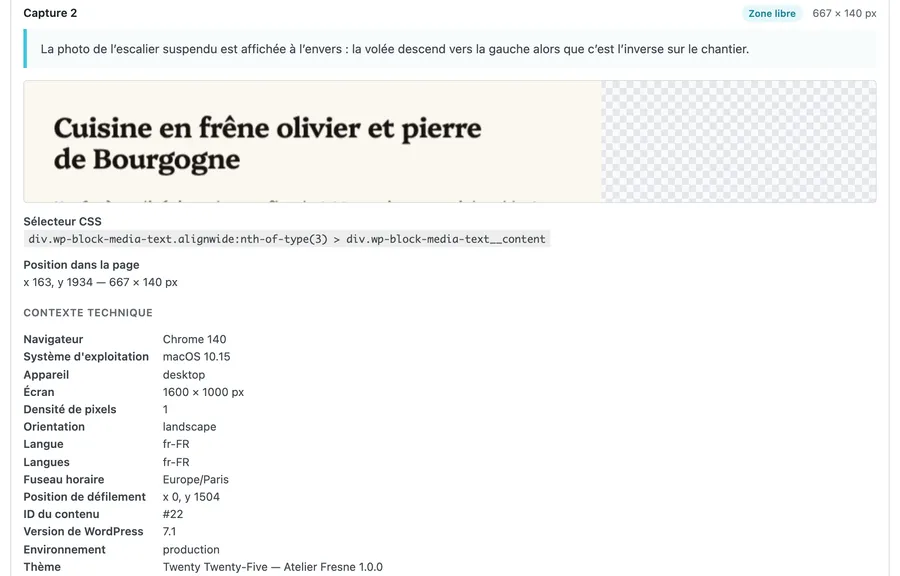
Every capture comes with the CSS selector of the section and its coordinates in the page. Even if the image is incomplete, the developer finds the faulty element again.
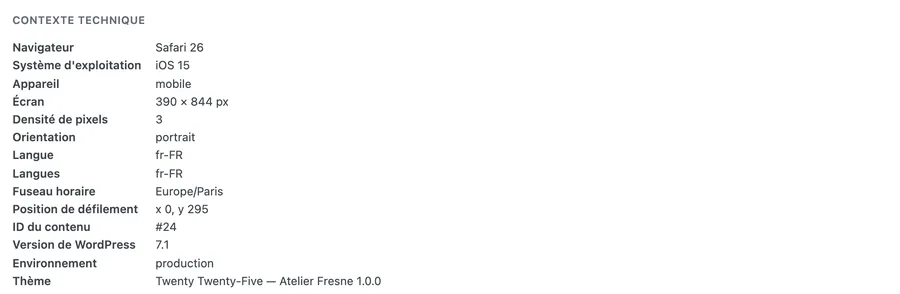
Browser, operating system, device type, screen size, pixel density, orientation, language, time zone, scroll position and internal referrer. Enough to reproduce, not enough to track.
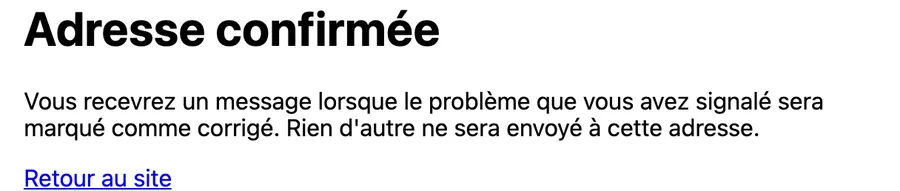
The visitor can leave their address to be notified. Because the form is public and anonymous, the address must first be confirmed by its owner: a signed link, valid for 7 days. Then a single message, when the report moves to "Done".

The report screen shows which addresses are still awaiting their confirmation, and lets you resend the request in one click.
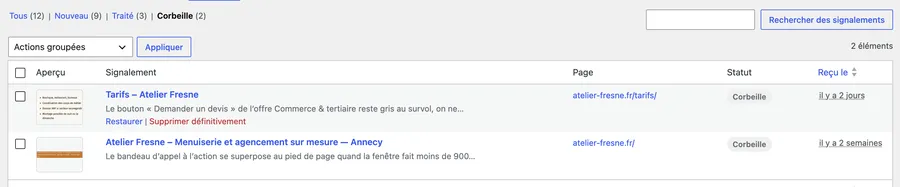
"New" or "Done": for a small team, either it is done or it is not. The native WordPress trash protects against accidental deletions.
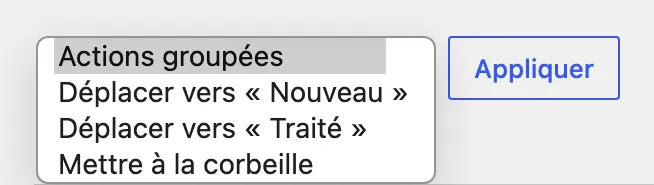
Actions on hovering a row, bulk actions on a selection: change the status, move to the trash, restore, delete permanently.

Two independent retention periods (handled reports, and their captures) at 30, 90 or 180 days. They are disabled by default, counted from the day the report is marked as handled, and a report that has not been handled is never touched.
A public entry point under close guard
Signed, time-limited token, bot trap, minimum delay before sending, a limit of 5 reports per IP address every 10 minutes and an overall cap of 200 per day. No captcha imposed on the visitor.
Only real images come into your site
Every capture is verified as a genuine PNG or JPEG, bounded to 5 megapixels, then entirely redrawn on the server side: only the pixels are kept. And a report about another site is refused.

The images stay in your uploads folder, under names impossible to guess, in a folder whose listing and indexing Apache forbids. A storage quota, 200 MB by default and adjustable, caps the space the captures take up.
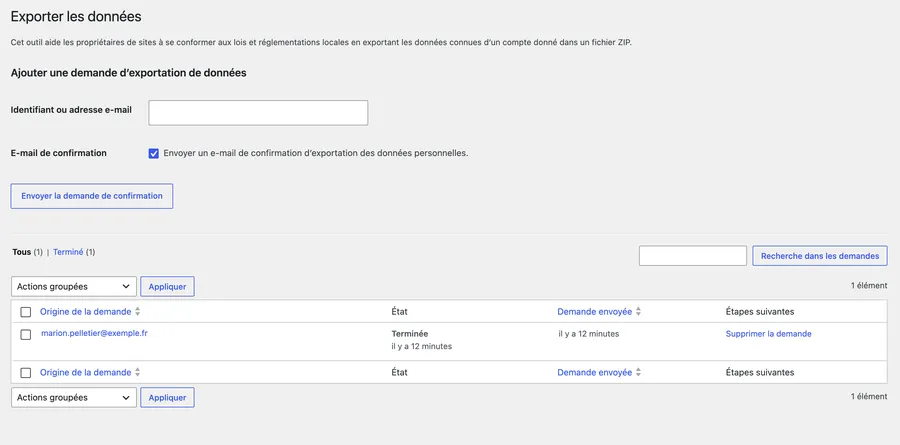
Export and erasure of personal data from Tools → Export Personal Data and Tools → Erase Personal Data, plus a suggested text in the WordPress Privacy Policy Guide.
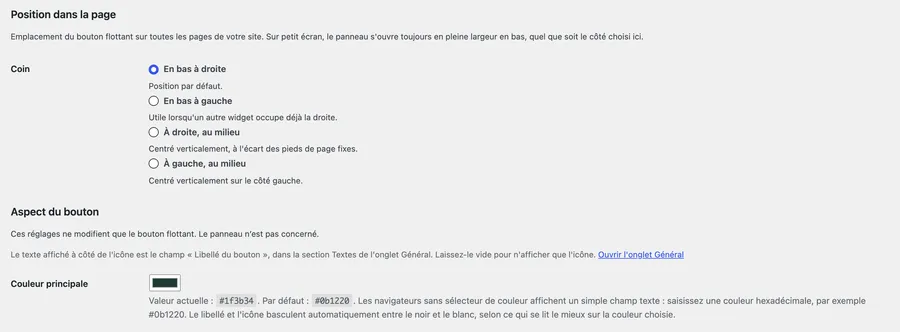
Four positions on screen, a free choice of colour whose text contrast is calculated automatically, and the seven main widget texts editable: button label, title, introduction, start button, help text, send button, confirmation message. The widget can be switched off in one click for the whole site, or removed from the pages where it has no business.
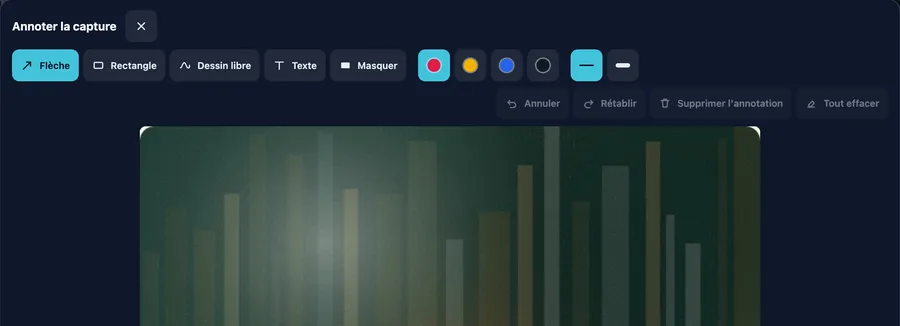
After the capture, the visitor no longer just sends an image: they show the problem in a dedicated editor, "Annotate the capture", before writing a single word.

Arrow, rectangle, free draw, text and black-out, in four colours and two thicknesses, with undo, redo and keyboard shortcuts. An arrow is worth more than a paragraph.
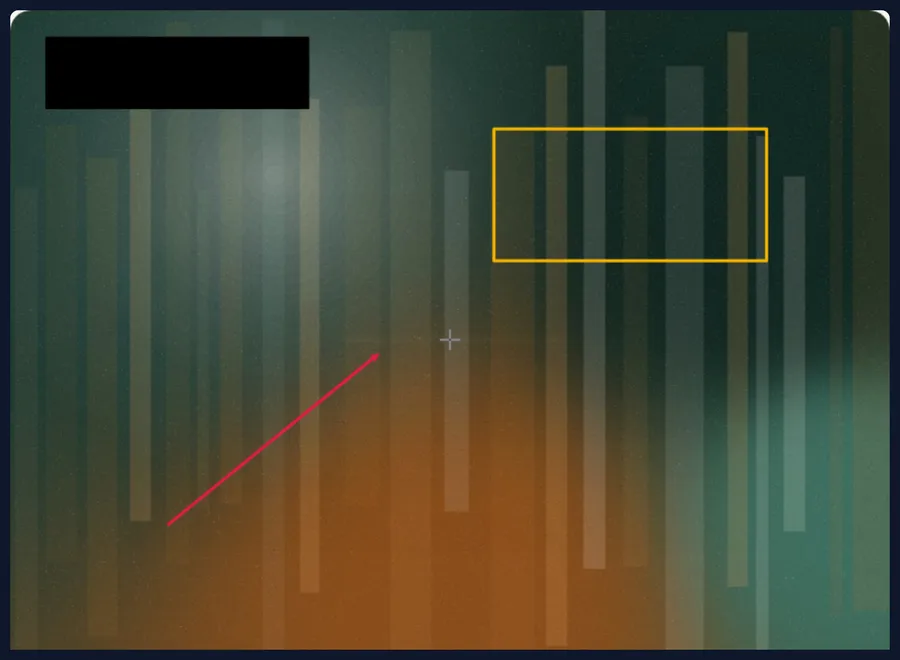
If they leave the editor without confirming, their masked zones are kept (only the other annotations are discarded) and they are told so. Privacy does not depend on a well-placed click.
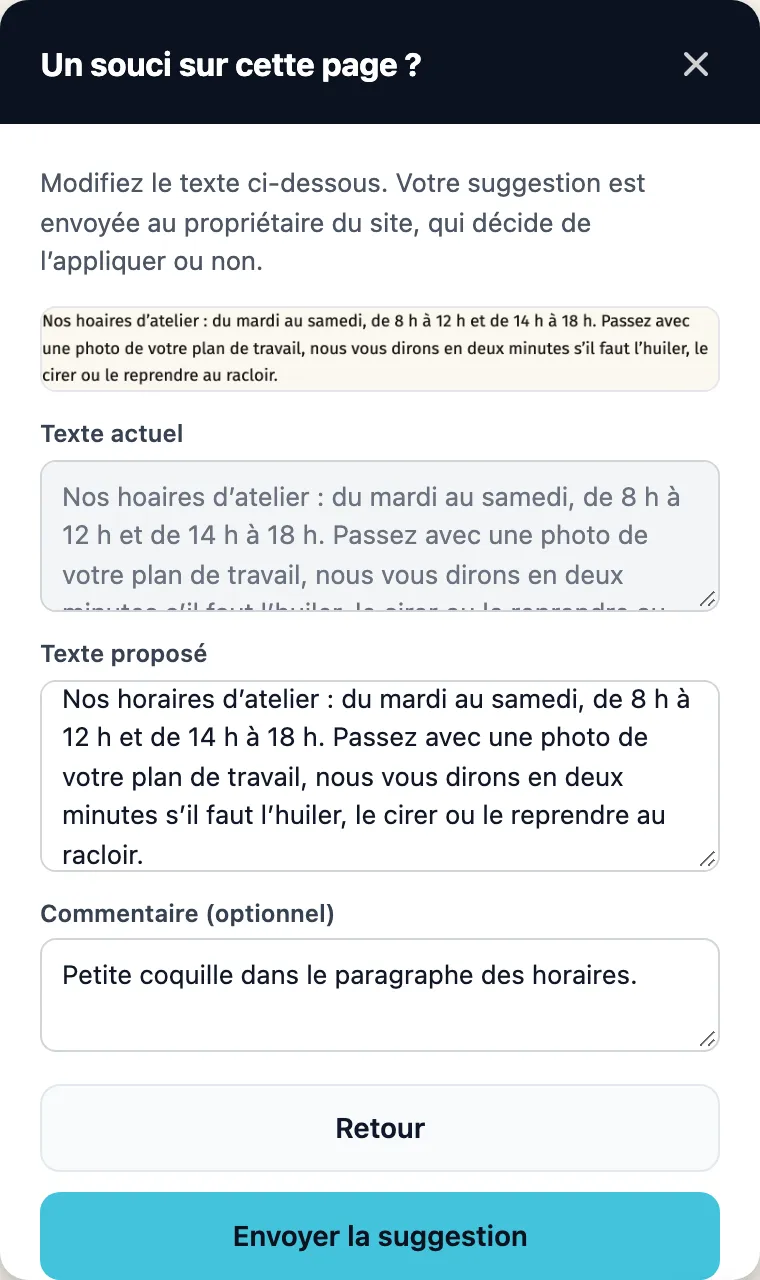
For a typo, a capture is no use at all. The visitor clicks the faulty text, proposes a correction and comments on it. A second button appears for that on the widget’s opening screen.
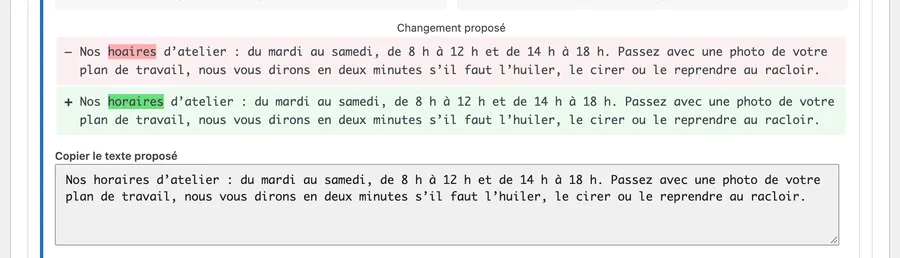
You see the current text, the proposed text and the word-by-word change, with a button to copy the suggestion. Glitchpin never changes your content: you apply it, or you do not.

"The button does not react" becomes a precise error message, with its source and its call stack. Without any cookie, header or form value.
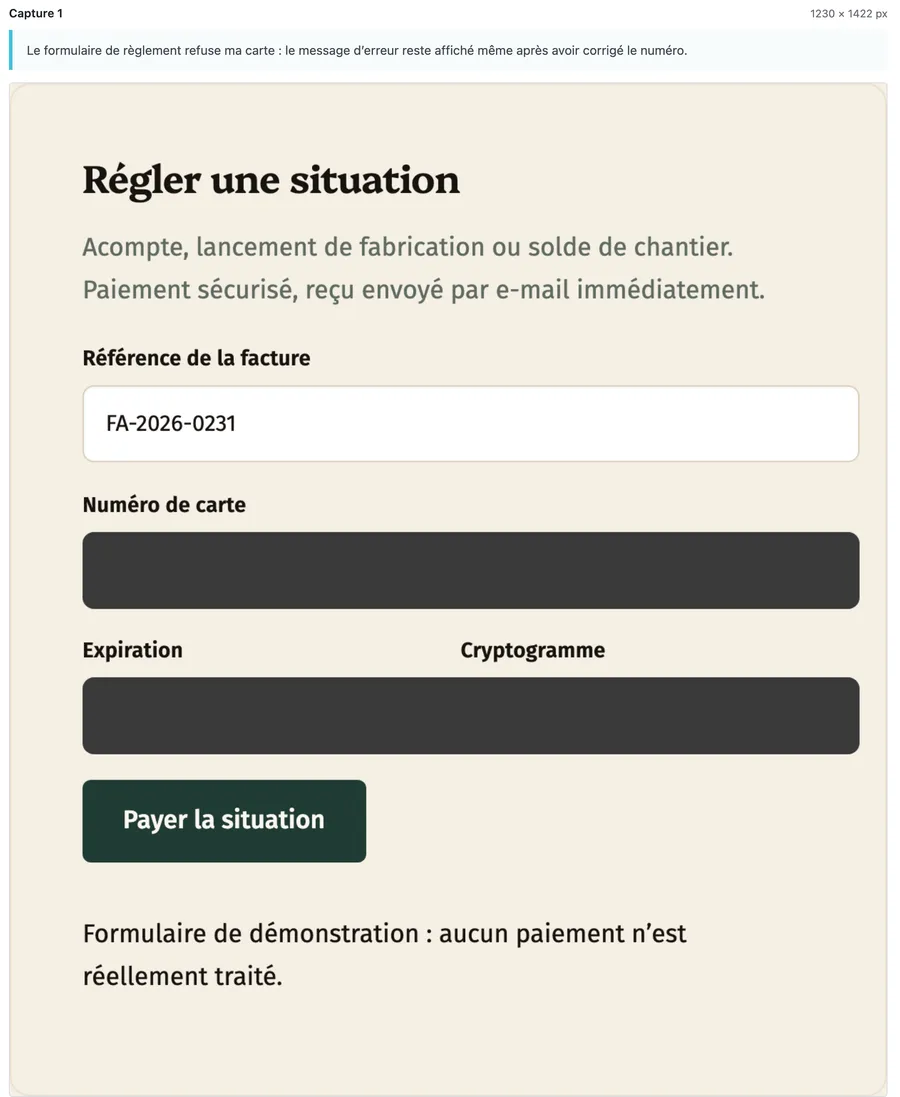
Password fields, and fields the browser recognises as a card number or a one-time code (the
autocompleteattribute), are masked before the image is produced. For any other element, tag it withdata-octoscope-private.
A checkbox for sites that display personal data on screen: no content of a text field, a text area or a drop-down list appears in the captures any more. Checkboxes, radio buttons and buttons stay visible, so that the image remains understandable.
Two markers for your theme
data-octoscope-privateblacks out an element,data-octoscope-ignoreremoves it from the capture entirely. Your theme decides what must never be photographed.
"New", "To do", "In progress", "To review", "Resolved". Your list of reports becomes real tracking, without leaving WordPress.
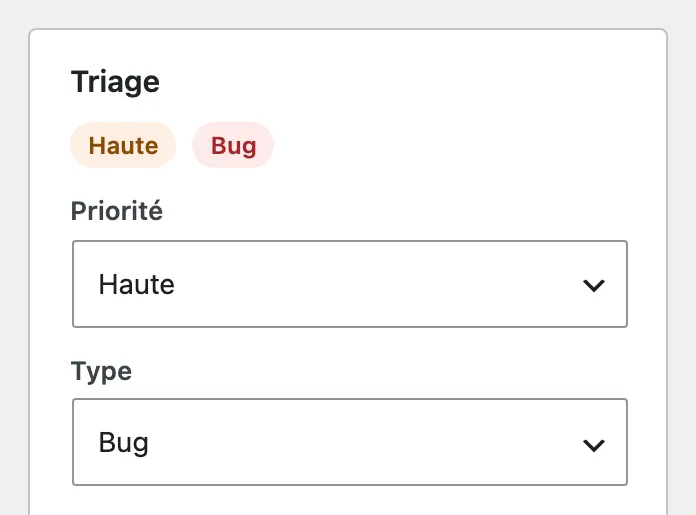
Low, Normal, High or Critical. The broken banner on the home page is not dealt with like a comma out of place.

Bug, Design, Content, Improvement, Other. Enough to separate what belongs to the developer, the designer or the copywriter.
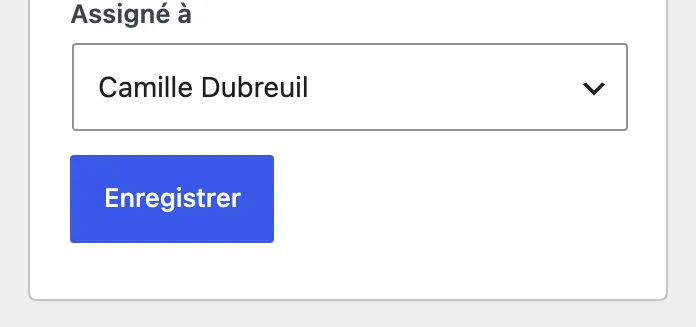
Every ticket has someone responsible, or carries the mention "Unassigned". You know who is doing what.
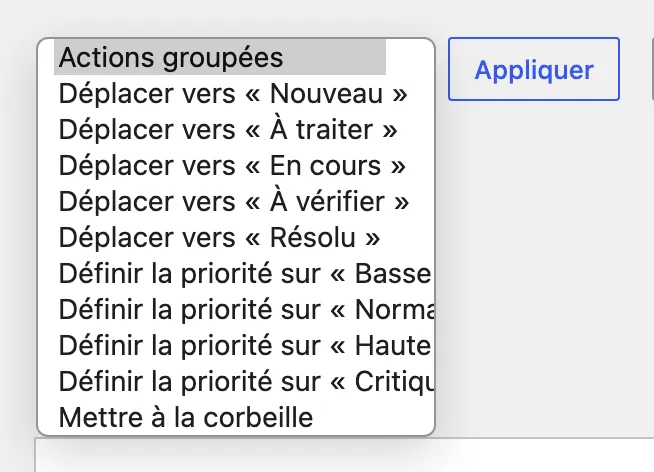
Filter by priority, by type or by assigned person; raise the priority of five tickets in one go. Finding all the unassigned critical tickets takes two clicks.
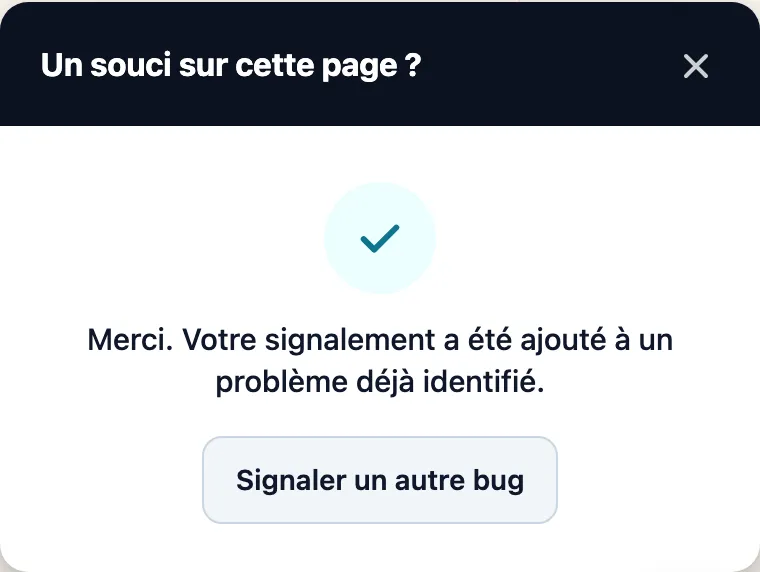
Reports describing the same problem on the same page join the same ticket, as occurrences. The comparison is made locally, on the reported zone and the text of the message, with no external service.
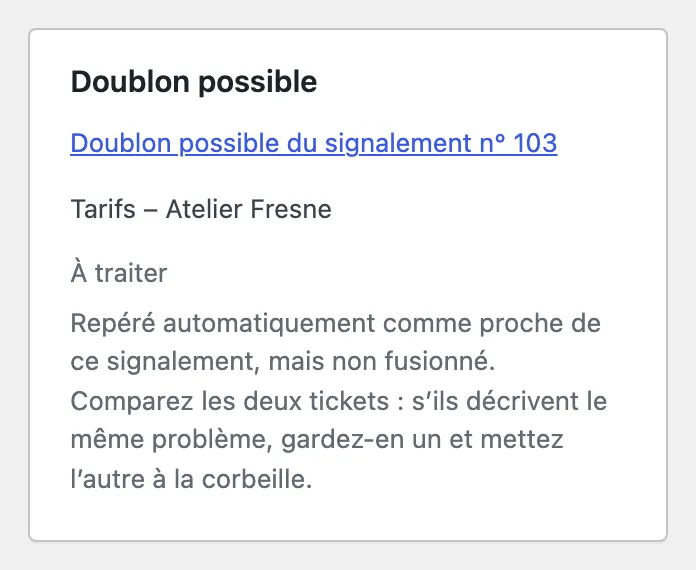
When the match is plausible but not certain, a "Possible duplicate" card invites you to compare the two tickets. The machine proposes, you decide.
A problem that comes back reopens its ticket
If a bug marked "Resolved" is reported again, the ticket reopens by itself, the event is traced in the history and the team receives an email. Nothing falls back into oblivion.
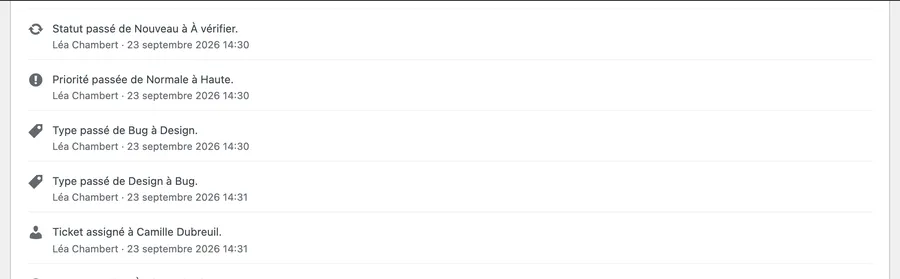
Every change of status, of priority, of type, of assignment and every occurrence is recorded, with its date. Six months later, you still know why.

A thread of notes "Visible only to the site team", attached to the ticket, never shown on the public site.
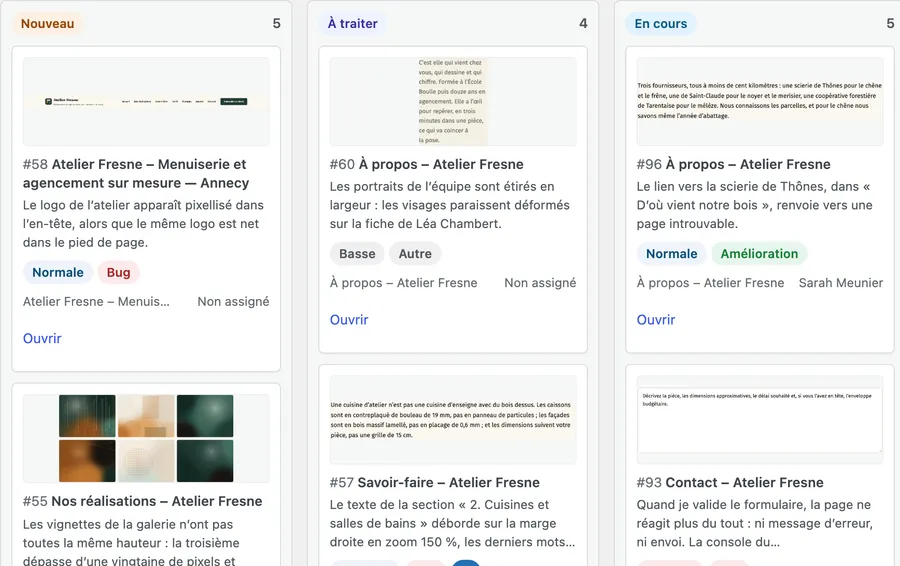
One column per status, cards you drag, or move with Alt and the arrow keys. The "List" / "Kanban" switch is one click away, under the title.
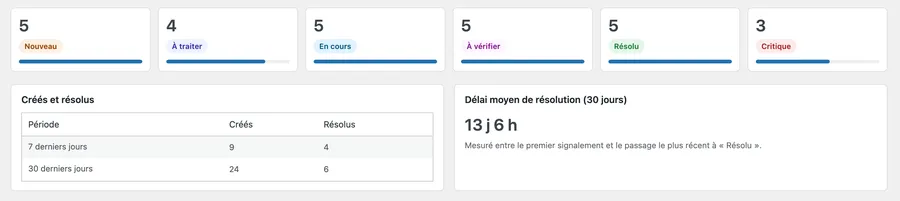
The number of tickets per status, the critical ones, those created and resolved over 7 and 30 days, the average resolution time, the most reported tickets and above all the pages that cause the most problems.

The reported places are pinned where they were reported, visible only to the people who manage the reports. Acceptance testing happens on the site, not in a spreadsheet.
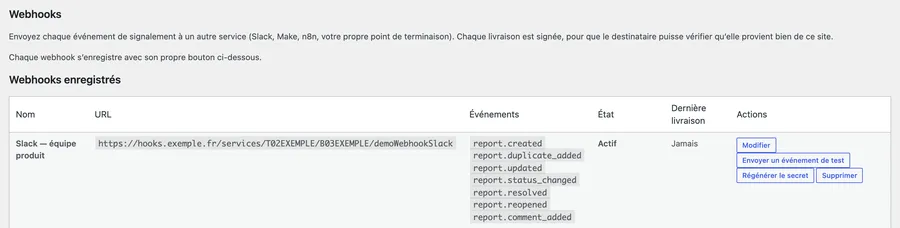
Seven events sent to Slack, Jira, n8n, Make or your own endpoint, every delivery signed with HMAC-SHA256. A retry on failure, automatic deactivation after ten failures, and a guard that refuses addresses on your internal network.
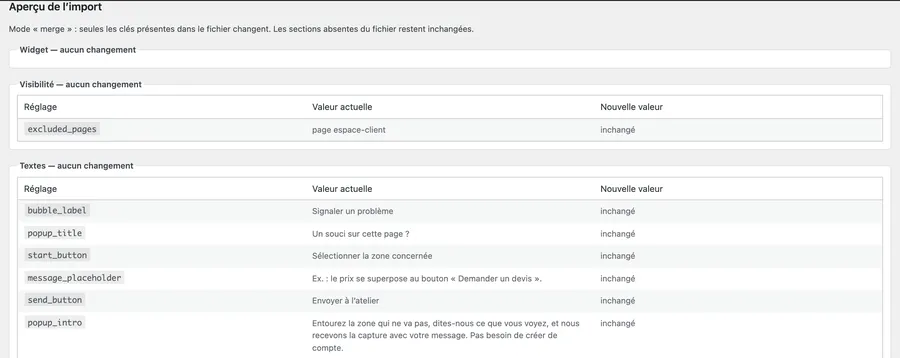
Carry a proven configuration from one site to another in JSON, with a preview of every change, automatic backup and restore in one click. Secrets, the licence and the reports are never exported.

For anyone starting from scratch, Glitchpin Pro generates a prompt describing your site and your wishes, to hand to the assistant of your choice. The file is produced on your site, with no network request.
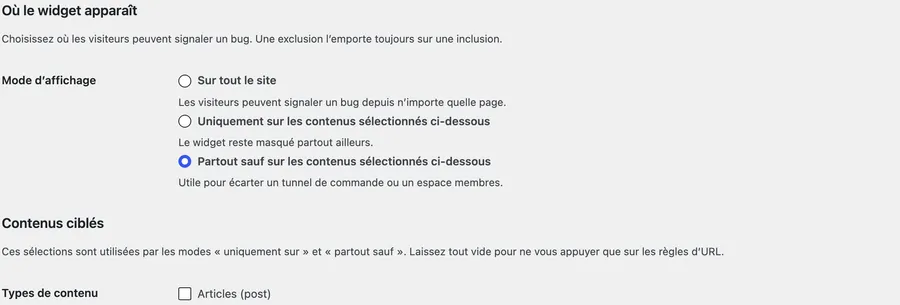
URL patterns, content types, taxonomies, specific content items, particular locations, roles, environments, and a per-item choice directly in the editor. Only on the shop, everywhere except the checkout, only on staging: you are the one who decides.
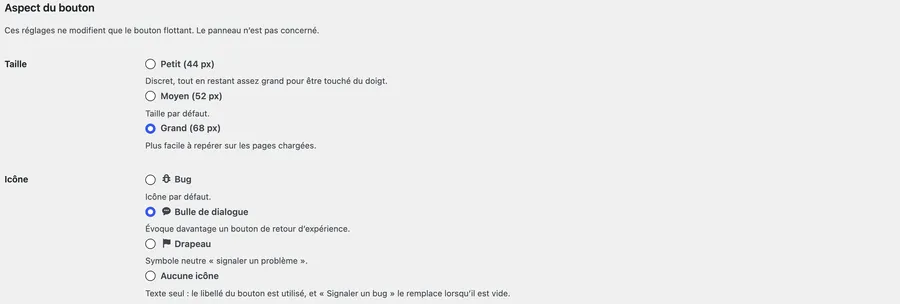
Three sizes, four icons to choose from (including "No icon") and the distance to the edge of the screen, 0 to 64 px (brought down to 12 px at most below 520 px wide).
Coming soon to WordPress.org