Free

The bug, captured by the person who saw it

Glitchpin adds a "Report a bug" button to your WordPress site. The visitor captures the broken section, describes it, sends it.

Free, complete, no account. No outbound requests.

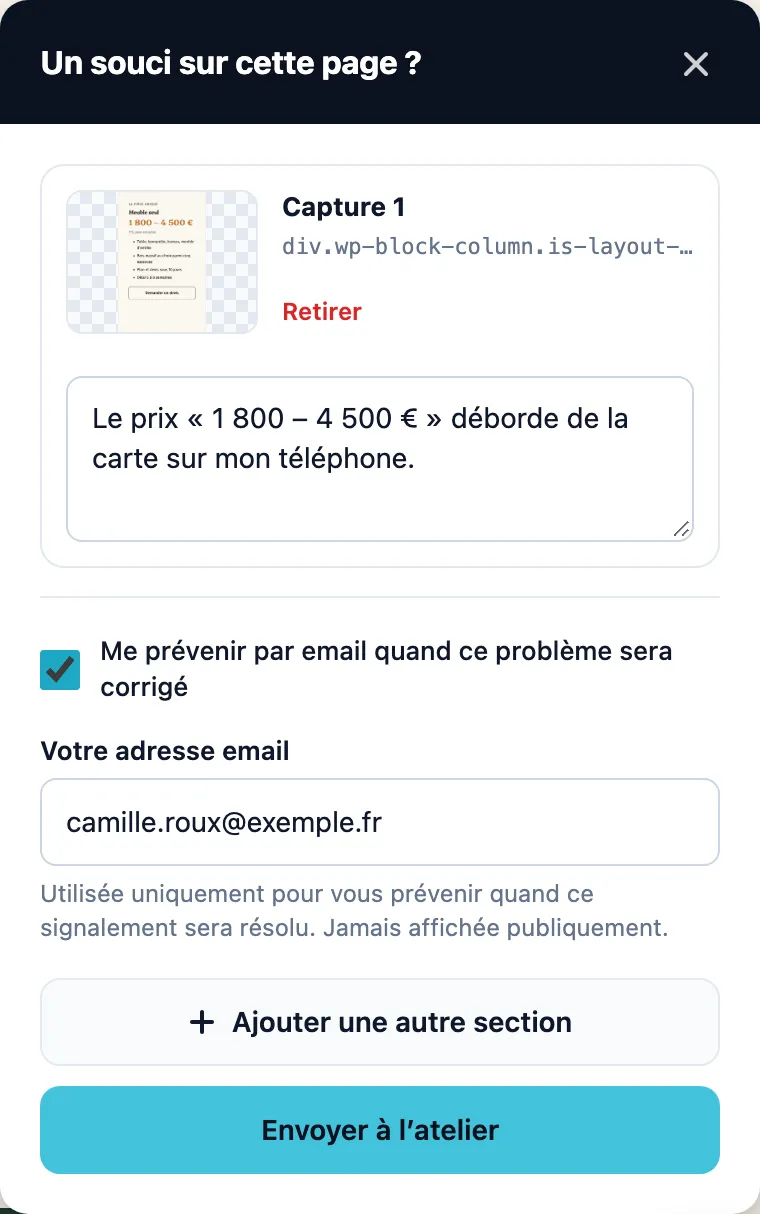
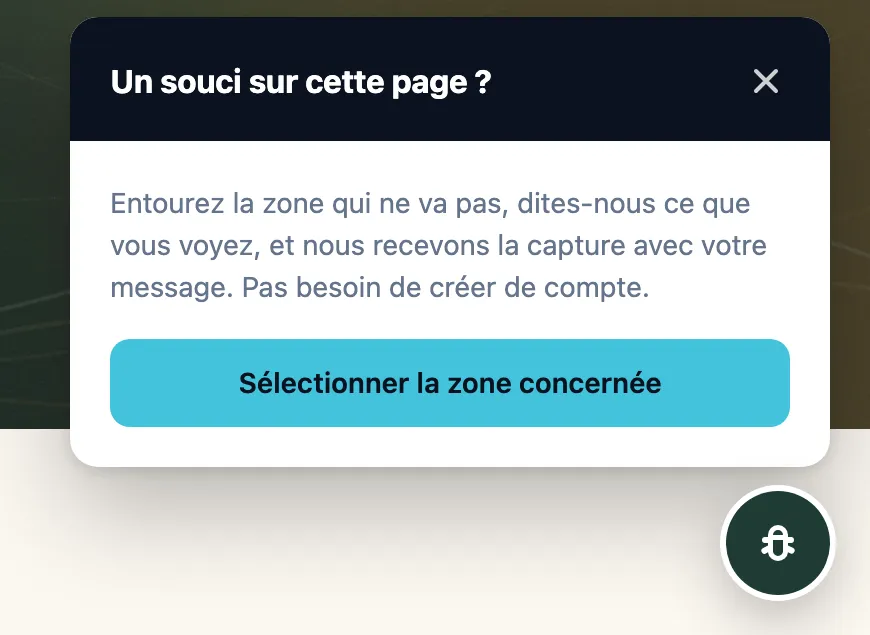
Widget panel open above the floating button, bearing the custom title "Something wrong on this page?", with the "Select the area concerned" button.

What the free plugin guarantees

FreeIncluded in Glitchpin, the free plugin. Nothing to buy.

  • 0 outbound requests
  • Hosted on your side
  • WordPress 6.0 and later
  • IP never in clear text
  • Native GDPR export

A visual bug cannot be put into words.

At best, they write you three lines. At worst, they leave.

You open the site, everything is fine on your end, and the matter is dropped. The bug stays.

What is not reported is not fixed.

Today, without Glitchpin:

  • back-and-forth by email to get a URL and a browser name;
  • "it works on my machine", for want of knowing which device the problem appears on;
  • unreadable screenshots, crookedly cropped, sent as attachments;
  • the same bug reported five times by five people, in five discussion threads;
  • reports lost between an inbox, a spreadsheet and a messaging thread;
  • no trace of what was fixed, or when.

Free

How it works

Glitchpin widget panel open on the home page, bearing the custom title "Something wrong on this page?", with an introductory text and the "Select the area concerned" button.

Your visitors already see these bugs. Give them a way to tell you.

Free

What Glitchpin does

Glitchpin is the WordPress plugin that lets your visitors report a visual bug by capturing the broken section of the page themselves, with no account, no browser extension, and without any data leaving your server.

All the features
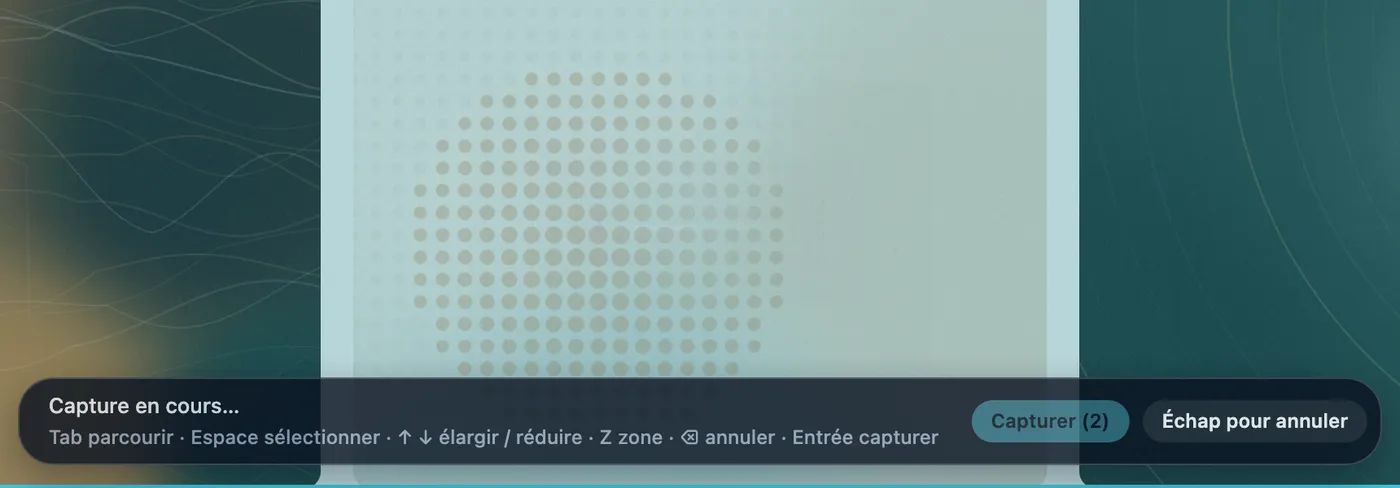
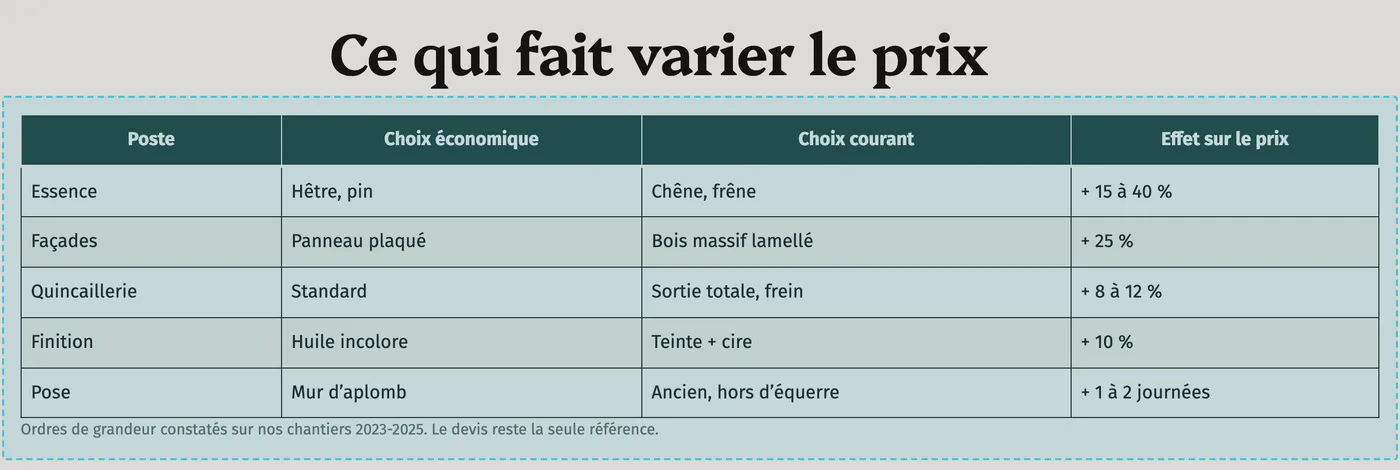
  • A dotted rectangle drawn with the mouse around a table.
    Free

    Report: the button, the capture, the description

    A button that scares nobody. A floating "Report a bug" button, present on every page. It can also be reduced to an icon: simply clear the "Button label" field. The visitor has nothing to install, nothing to create, nothing to look for.

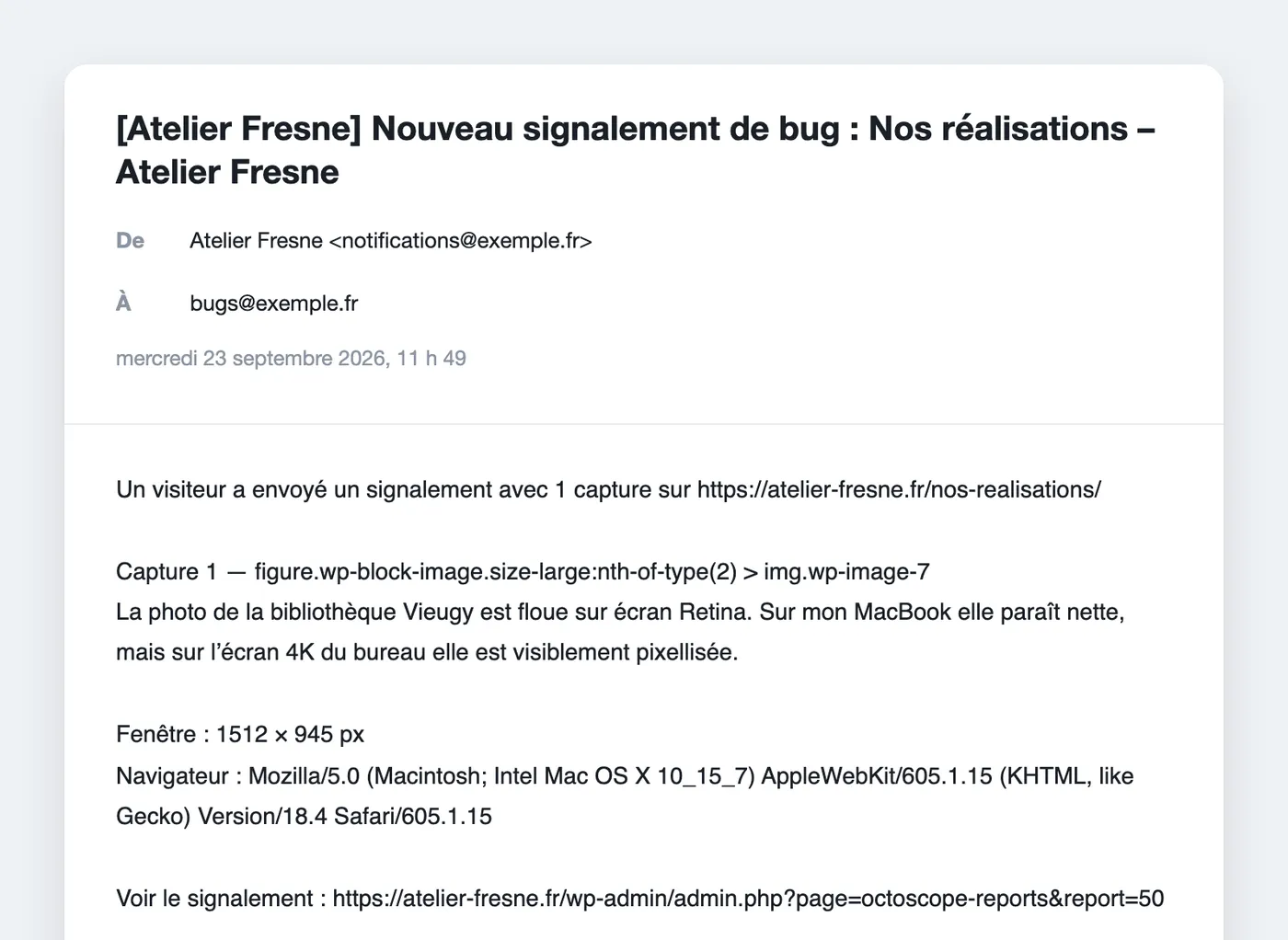
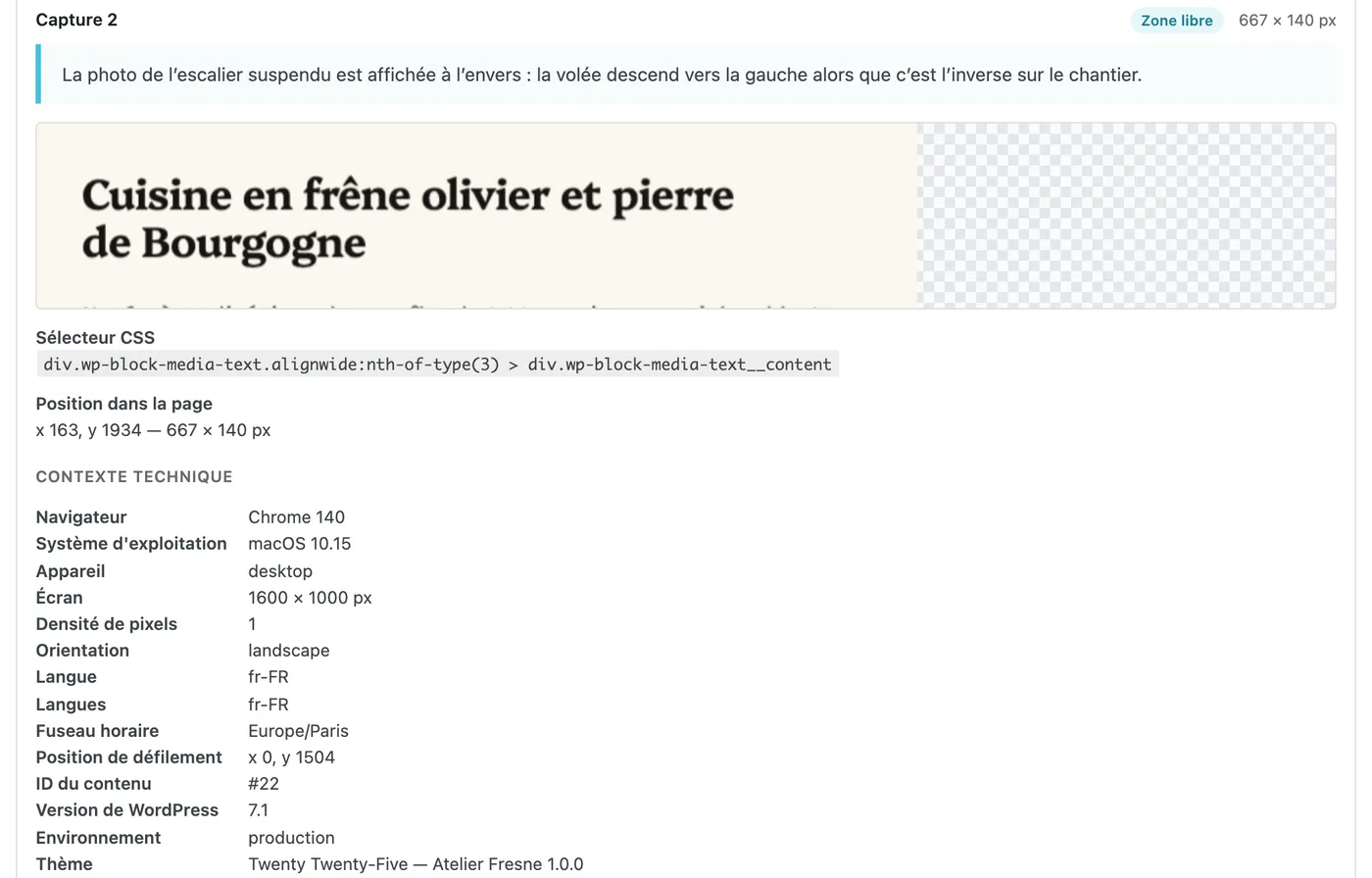
  • Email received by the administrator: description of the problem, CSS selector of the section, viewport size, browser and link to the report.
    Free

    Receive: the email, the list, the detail

    The email alert, with the context. Every report lands in your inbox with the page, the viewport size, the browser and a direct link. The sender is customisable, so you can use an address on your own domain.

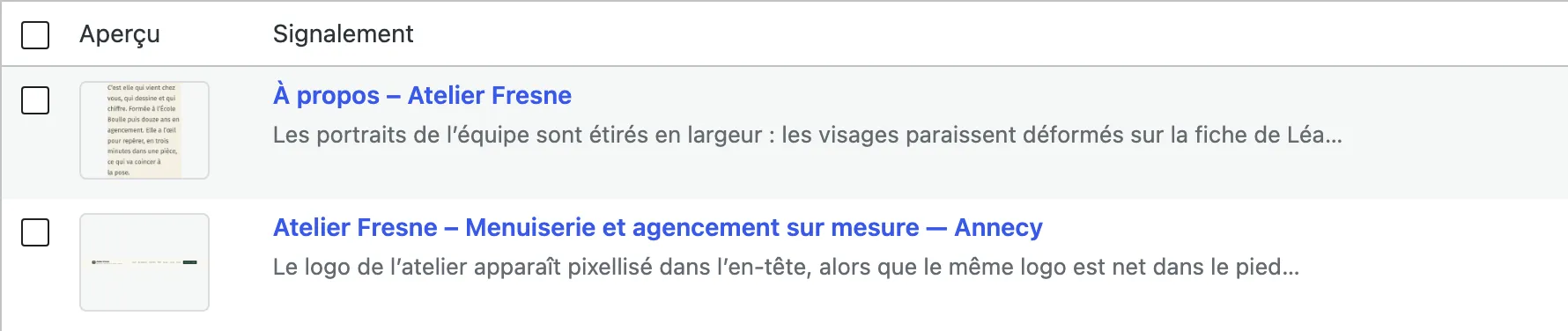
  • List of reports: two rows with preview, title and summary.
    Free

    Handle: statuses, trash, retention

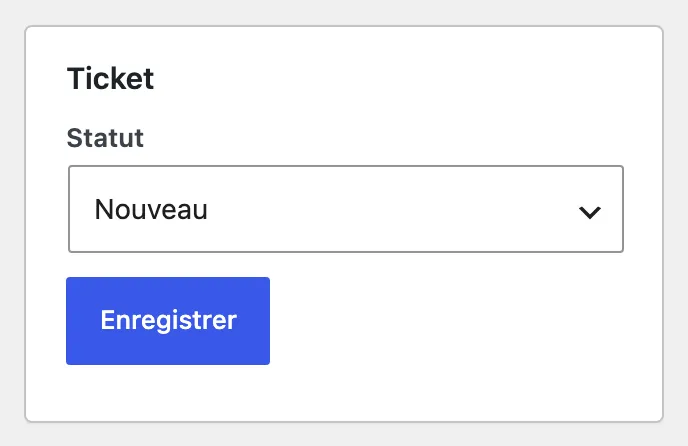
    Two statuses, and nothing gets lost. "New" or "Done": for a small team, either it is done or it is not. The native WordPress trash protects against accidental deletions.

  • Retention settings: "Reports marked as Done" set to 90 days and "Captures of reports marked as Done" to 30 days.
    Free

    Protect: anti-spam, re-encoded images, GDPR

    A public entry point under close guard. Signed, time-limited token, bot trap, minimum delay before sending, a limit of 5 reports per IP address every 10 minutes and an overall cap of 200 per day. No captcha imposed on the visitor.

  • Fully usable from the keyboard

    Tab to move through the page, Space to select, arrow keys to widen or narrow the selection, Enter to capture. Reporting works without a mouse: that is rare, and it is an accessibility argument.

  • The CSS selector and the exact position

    Every capture comes with the CSS selector of the section and its coordinates in the page. Even if the image is incomplete, the developer finds the faulty element again.

  • Notify the visitor when it is fixed

    The visitor can leave their address to be notified. Because the form is public and anonymous, the address must first be confirmed by its owner: a signed link, valid for 7 days. Then a single message, when the report moves to "Done".

  • GDPR with the native tools of WordPress

    Export and erasure of personal data from Tools → Export Personal Data and Tools → Erase Personal Data, plus a suggested text in the WordPress Privacy Policy Guide.

Free, complete, no account. No outbound requests.

Glitchpin

The free plugin

The free plugin is not a demo.

Glitchpin is complete. Nothing in it is crippled, nothing in it is billed by usage, nothing in it expires.

Statuses in the free plugin
2
Statuses with Pro
5
Outbound requests from the free plugin
0
Free
List views: All (12), New (9), Done (3), Trash (2).
Pro
List views with Pro: All, New, To do, In progress, To review, Resolved, Trash.

Start with the free plugin. It is complete, and it will stay that way.

Get notified at launchSee the detailed comparison
Everything each version contains

A brochure site, a blog or a shop can live with the free version for years, and many will.

Glitchpin Pro is aimed at those who are no longer content with just receiving reports: they have to be sorted, shared out, not dealt with ten times over, kept on record, and you need to know where the site stands. It is a team tool, not an "unlocked" version.

Glitchpin, free, coming soon to WordPress.org

The report button, section capture and the free zone, the description, sending, the email to the administrator, the optional notification of the visitor with double opt-in, the list and the detail of reports, the "New" and "Done" statuses, the trash, the basic settings (texts, position, colour), the technical context, GDPR export and erasure, retention, and simple visibility: enable or disable the widget, exclude pages.

No outbound requests. No account. No subscription.

Glitchpin Pro, the paid plugin

Capture annotation (arrow, rectangle, drawing, text, manual black-out), automatic masking of sensitive fields, full tickets (5 statuses, priority, type, assignment), occurrences and duplicate detection, history and internal notes, QA pins on the site, the Kanban, the overview, signed webhooks, text correction, JavaScript errors, advanced visibility (URL, content types, taxonomies, roles, environments), JSON import / export with an AI prompt, and advanced widget customisation.

Glitchpin Pro requires Glitchpin 3.0.0 or later, installed and active. Deactivating Pro loses nothing: tickets, occurrences, history, notes and settings stay in the database, and the free plugin keeps showing the reports.

Frequently asked questions

How does the capture work without a browser extension?

The plugin draws the chosen section into an image, directly in the visitor’s browser, from the content of the page and the styles applied to it. It is not a pixel-perfect screenshot: a font or an image hosted on another domain that forbids cross-origin access may be missing. The report always carries the URL of the page, the CSS selector and the position of the section, so that you find the element again even if the image is incomplete.

What exactly does a capture contain?

A capture reproduces the page as it is displayed, form fields included: what a visitor typed into a field is part of the image. Glitchpin, in its free version, offers no way to mask part of a capture, neither automatically nor by hand. Automatic masking of passwords, card numbers and one-time codes, the data-octoscope-private and data-octoscope-ignore markers, the "mask every form field" option and manual black-out in the annotation editor are features of Glitchpin Pro. If your pages display personal data, take that into account before enabling the widget there.

What is stored about a visitor?

For every report: the URL and the title of the page, the context of your own site (WordPress version, environment, theme, PHP version), and that of the browser: name and major version, operating system, device type, screen size, pixel density, orientation, language, time zone, scroll position, and the referrer only when it comes from your site. No digital fingerprint is computed: no canvas, no font list, no plugin list, no hardware probing. The IP address is never stored in clear text: only a salted hash is kept, in order to apply the rate limit. An email address is stored only if the visitor entered one in order to be notified of the fix.

A public, anonymous form, isn’t that an invitation to spam?

The entry point is protected by a signed, time-limited token, a bot trap, a minimum delay before sending, a limit of 5 reports per IP address every 10 minutes and an overall cap of 200 reports per day. Captures are bounded in number, in weight and in resolution, and a report about a site other than yours is refused. All of that without imposing a captcha on the visitor.

Is it compatible with a page cache?

Yes. The anti-spam token is fetched when the visitor opens the widget, and not when the page loads: a page served from the cache is therefore no problem at all.

Is it compatible with my theme and my page builder?

The capture is produced from the real content of the page and the styles applied to it: it does not depend on any particular theme or builder. Two honest caveats: it is not a pixel-perfect screenshot, and a font or an image hosted on another domain that forbids cross-origin access may be missing from the image. In every case, the CSS selector and the position of the section make it possible to find the element again. The visitor widget is written in native JavaScript and CSS, with no dependency on a framework.

All the questions

Coming soon to WordPress.org

One button, one capture, one useful report. That is all it took.

What you are interested in

A confirmation email, then one message on launch day. Unsubscribe in one click.

Thank you, your address is saved.

This address is already on the list.

Your sign-up could not be saved. Try again in a moment.